



Description
S220S-24LP4JX
Overview
Table 4-44 Basic information about the S220S-24LP4JX
| Item | Details |
|---|---|
| Description | S220S-24LP4JX (24*10/100/1000BASE-T ports (195 W PoE+), 2*10GE SFP+ ports, 2*2.5GE SFP ports, built-in AC power) |
| Part Number | 98012519 |
| Model | S220S-24LP4JX |
| First supported version | V600R024C00 |
| Remarks | If the upper-level circuit breaker for a device is also connected to many other devices, a C32 or above circuit breaker needs to be used. If the upper-level circuit breaker for a device is connected only to this device, a C25 or below circuit breaker can be used. |
Components
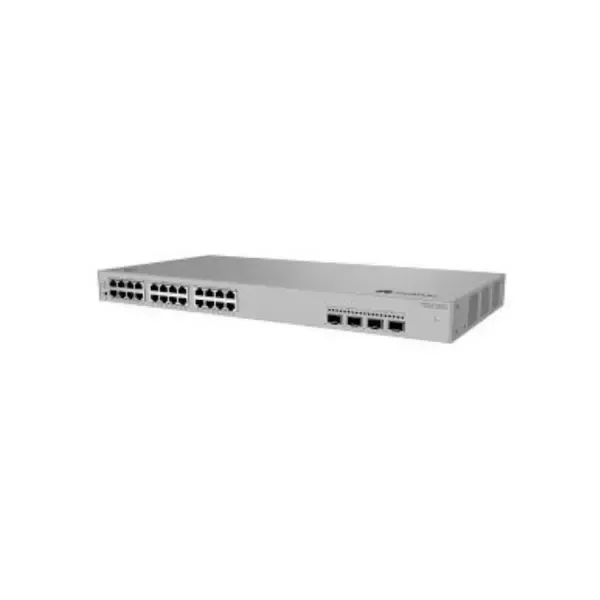
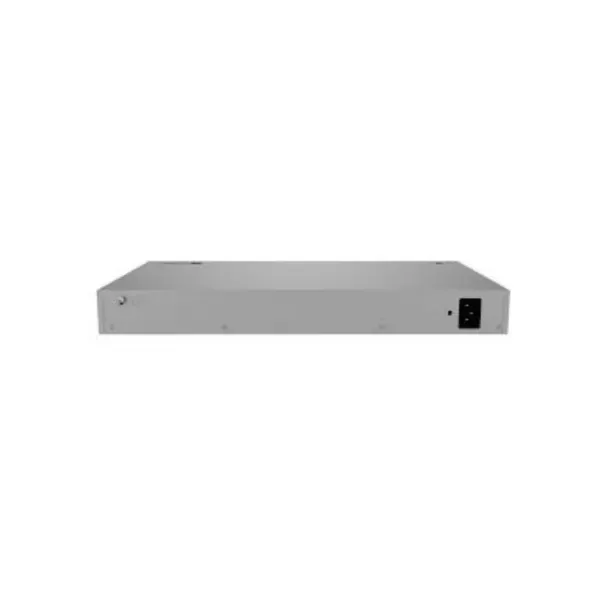
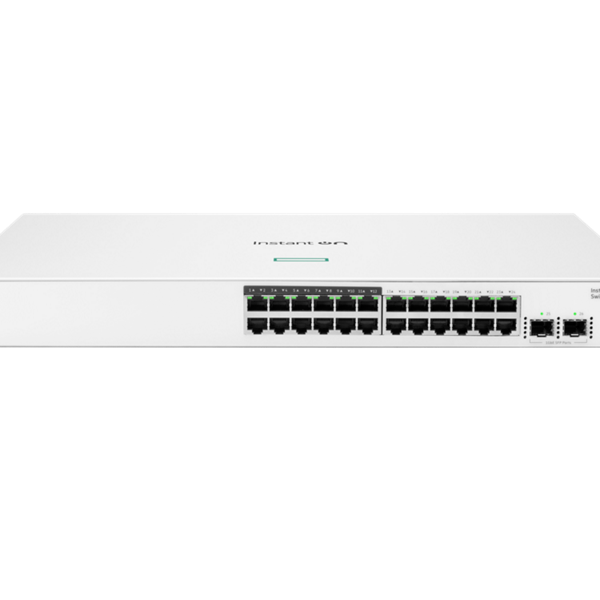
Figure 4-20 S220S-24LP4JX appearance

| 1 | One RST button NOTICE: To restore the factory settings and reset the device, hold down the button for at least 6 seconds. To reset the device, press the button. Resetting the device will cause service interruption. Exercise caution when you press the button. | 2 | One MODE button |
| 3 | Twenty-four 10/100/1000BASE-T PoE+ ports | 4 | Two 10GE SFP+ optical ports |
| 5 | Two 2.5GE SFP optical ports | 6 | Ground screw NOTE: It is used with a ground cable. |
| 7 | Jack for AC power cable locking strap NOTE: The AC power cable locking strap is not delivered with the switch. | 8 | AC socket NOTE: It is used with an AC power cable. |
Ports
Table 4-45 Ports on the S220S-24LP4JX
| Port | Connector Type | Description | Available Components |
|---|---|---|---|
| 10/100/1000BASE-T port | RJ45 | A 10/100/1000BASE-T Ethernet electrical port sends and receives service data at 10/100/1000 Mbit/s. | Ethernet cable |
| 2.5GE SFP optical port | SFP | A 2.5GE SFP Ethernet optical port sends and receives service data at 100 Mbit/s, 1 Gbit/s, or 2.5 Gbit/s. The four optical ports of the device can work at a maximum of two different rates at the same time. If they work at three different rates (10 Gbit/s, 2.5 Gbit/s, and 1000/100 Mbit/s) at the same time, the ports of one rate cannot go Up. | |
| 10GE SFP+ optical port | SFP+ | A 10GE SFP+ Ethernet optical port sends and receives service data at 100 Mbit/s, 1 Gbit/s, or 10 Gbit/s. The four optical ports of the device can work at a maximum of two different rates at the same time. If they work at three different rates (10 Gbit/s, 2.5 Gbit/s, and 1000/100 Mbit/s) at the same time, the ports of one rate cannot go Up. |
Indicators and Buttons
Figure 4-21 Indicators on the Switch


The S220S-26PN4JX model is used as an example.
Table 4-46 Description of indicators on the switch
| No. | Indicator | Name | Color | Status | Description |
|---|---|---|---|---|---|
| 1 | PWR | Power module indicator | – | Off | The switch is powered off. |
| Green | Steady on | The power supply is normal. | |||
| 2 | SYS | System status indicator | – | Off | The system is not running. |
| Green | Fast blinking | The system is starting. | |||
| Green | Steady on | During the system startup preparation phase, the SYS indicator is steady green, which lasts for a maximum of 30 seconds. | |||
| Green | Slow blinking | The system is running normally. | |||
| Red | Steady on | The system does not work normally after registration, or a fan alarm or a temperature alarm has been generated. | |||
| 3 | CLOUD | Cloud indicator | – | Off | The management VLAN of the device does not obtain an IP address. |
| Blue | Steady on | The network is connected, and the management VLAN of the device obtains an IP address. | |||
| Blue | Fast blinking | The device is connecting to the cloud. | |||
| Blue | Slow blinking | The device is in the cloud management state. | |||
| 4 | PoE | PoE indicator | – | Off | The PoE mode is not selected. |
| Green | Steady on | The PoE mode is selected, and service port indicators show the PoE status of each port. | |||
| 5 | MODE | Mode switch button | – | – |
If you do not press the MODE button within 45 seconds, the service port indicators restore to the default mode. In this case, the PoE indicator is off. |
| 6 | – | Service port indicator (one indicator for each port) | Arrowheads show the positions of ports. A down arrowhead indicates a port at the bottom, and an up arrowhead indicates a port at the top. | Meanings of service port indicators vary in different modes. For details, see Table 4-47. | |
Table 4-47 Description of service port indicators in different modes (one indicator for each port)
| Display Mode | Color | Status | Description |
|---|---|---|---|
| Default mode | – | Off | The port is not connected or has been shut down. |
| Green | Steady on | A link has been established on the port. | |
| Green | Blinking | The port is sending or receiving data. | |
| PoE mode | – | Off | The port is not providing power to a powered device (PD). |
| Green | Steady on | The port is providing power to a PD. | |
| Green | Blinking | The power of the PD connected to the port exceeds the power capacity of the port or the power threshold configured on the port. Alternatively, the PD does not comply with IEEE standards. |
Power Supply System
The switch has a built-in AC power module and does not support pluggable power modules. The built-in power module can provide 195 W PoE power, which ensures full PoE power on 12 ports in compliance with 802.3af or on 6 ports in compliance with 802.3at.
Heat Dissipation System
The switch has two built-in fans for forced air cooling. Air flows in from the left side and front panel, and exhausts from the right side.
When working properly at a normal temperature, the device meets the desktop-class noise requirements. However, the fan speed may be high and the noise may be loud during device startup.

This figure only shows the airflow direction and does not depict the actual device.
Technical Specifications
Table 4-48 Technical specifications of the S220S-24LP4JX
| Item | Specification |
|---|---|
| Dimensions without packaging (H x W x D) [mm(in.)] | Basic dimensions (excluding the parts protruding from the body): 43.6 mm x 442 mm x 220 mm (1.72 in. x 17.40 in. x 8.66 in.) Maximum dimensions (the depth is the distance from ports on the front panel to the parts protruding from the rear panel): 43.6 mm x 442 mm x 227 mm (1.72 in. x 17.40 in. x 8.94 in.) |
| Dimensions with packaging (H x W x D) [mm(in.)] | 90.0 mm x 550.0 mm x 360.0 mm (3.54 in. x 21.65 in. x 14.17 in.) |
| Chassis height [U] | 1 U |
| Chassis material | Metal |


Reviews
There are no reviews yet.